
Option 1 of 2:
With Handlr, you don’t have to manually input all of your customers! The customer simply needs to:
- Download the app from their App Store
- Register, search for the business name
- “Favorite” it. (Favorite a business by tapping the heart icon).
- Then, they’ll automatically show up in your customer list.
Option 2 of 2:
In certain cases where adding a customer manually is needed, follow these steps:
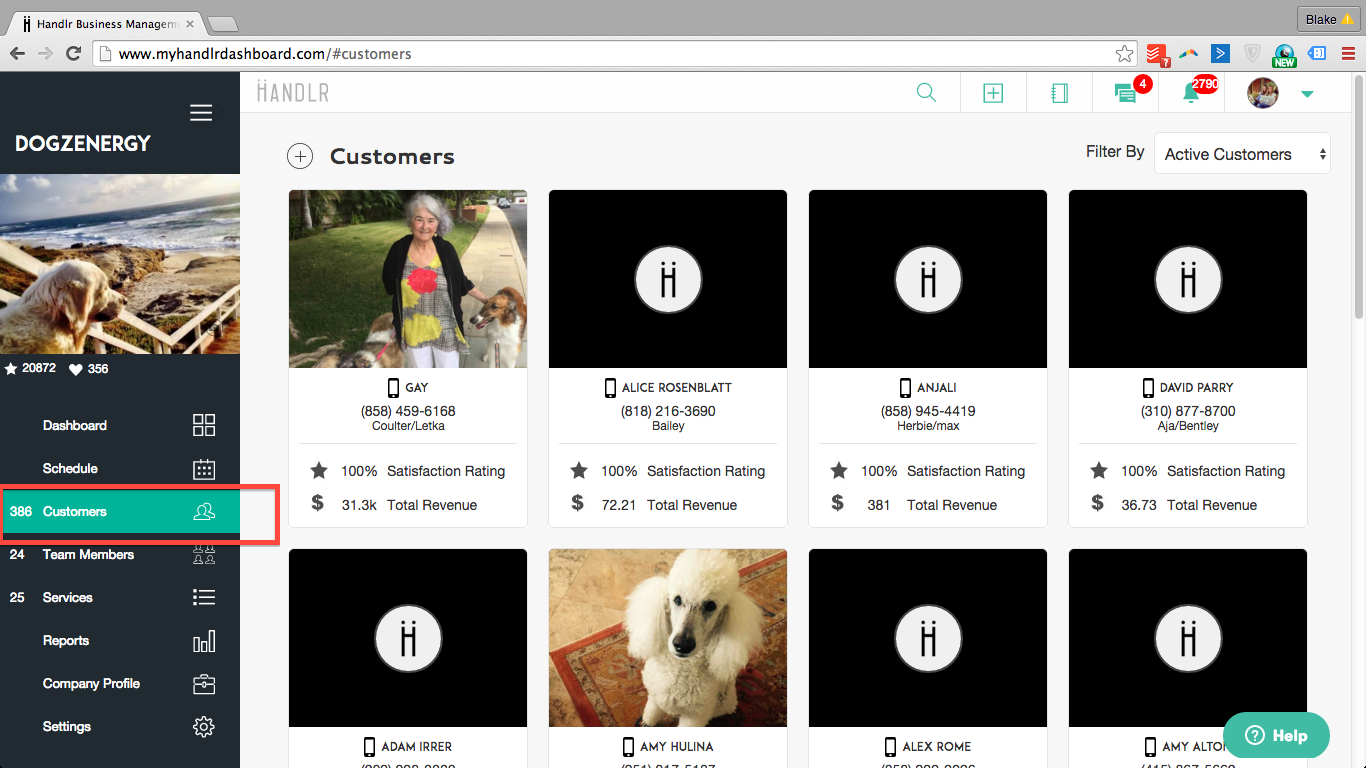
1. Click on the "Customers" Button.
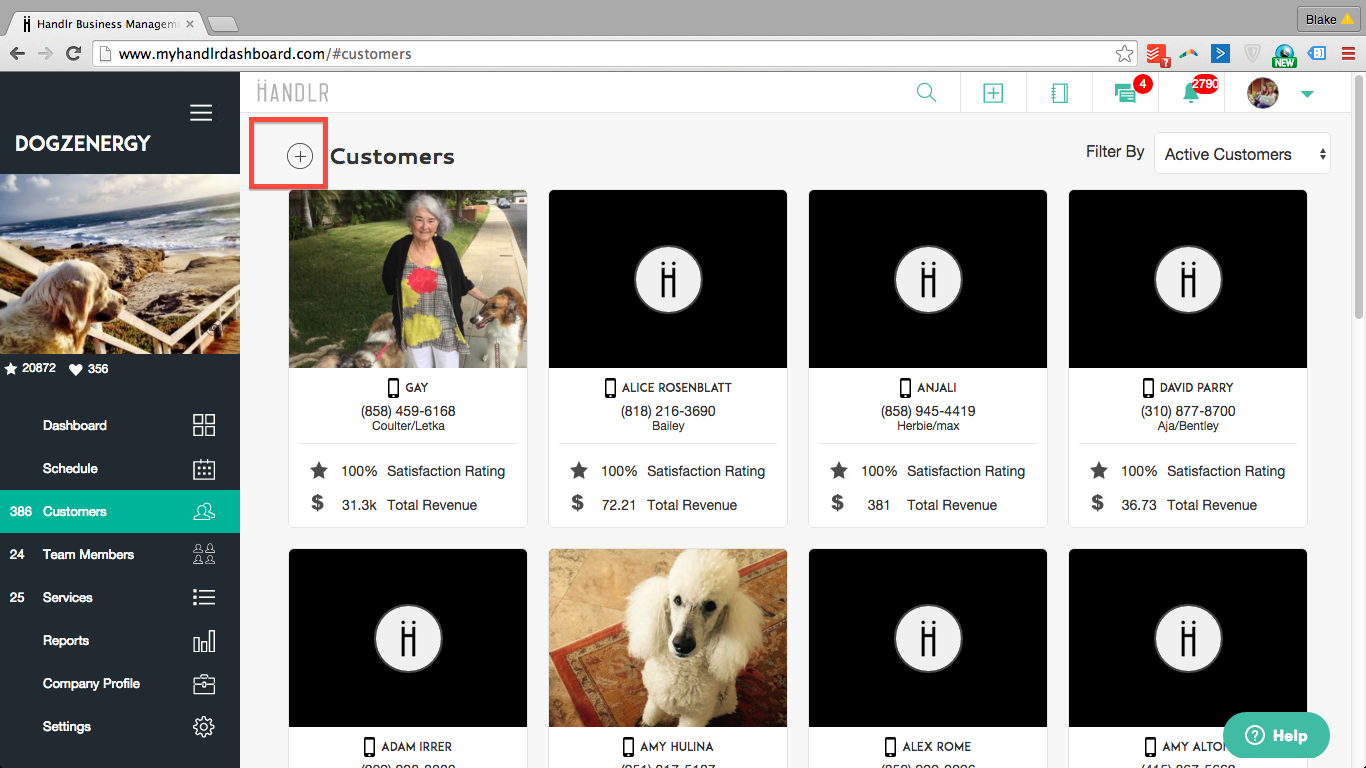
2. Click the plus sign (+) to add a new Customer.
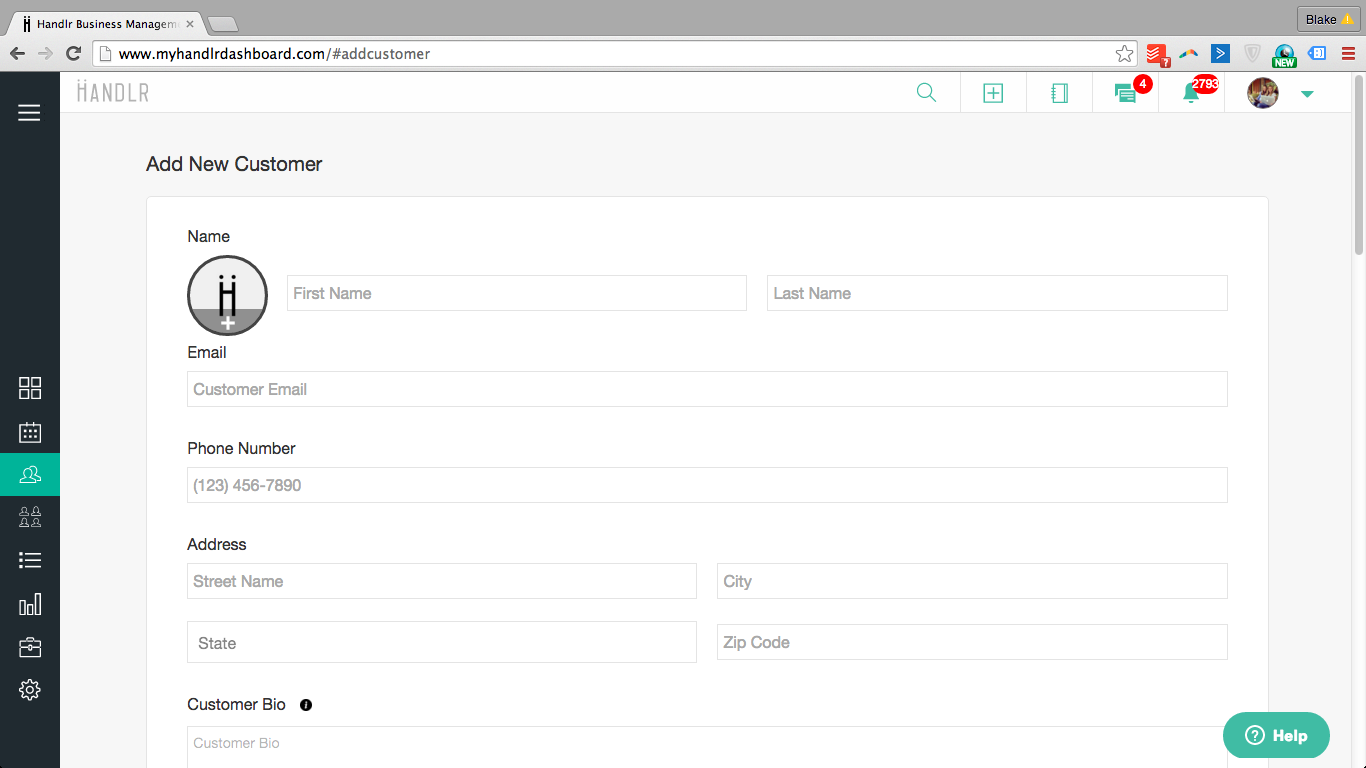
3. Input all the customer's information.
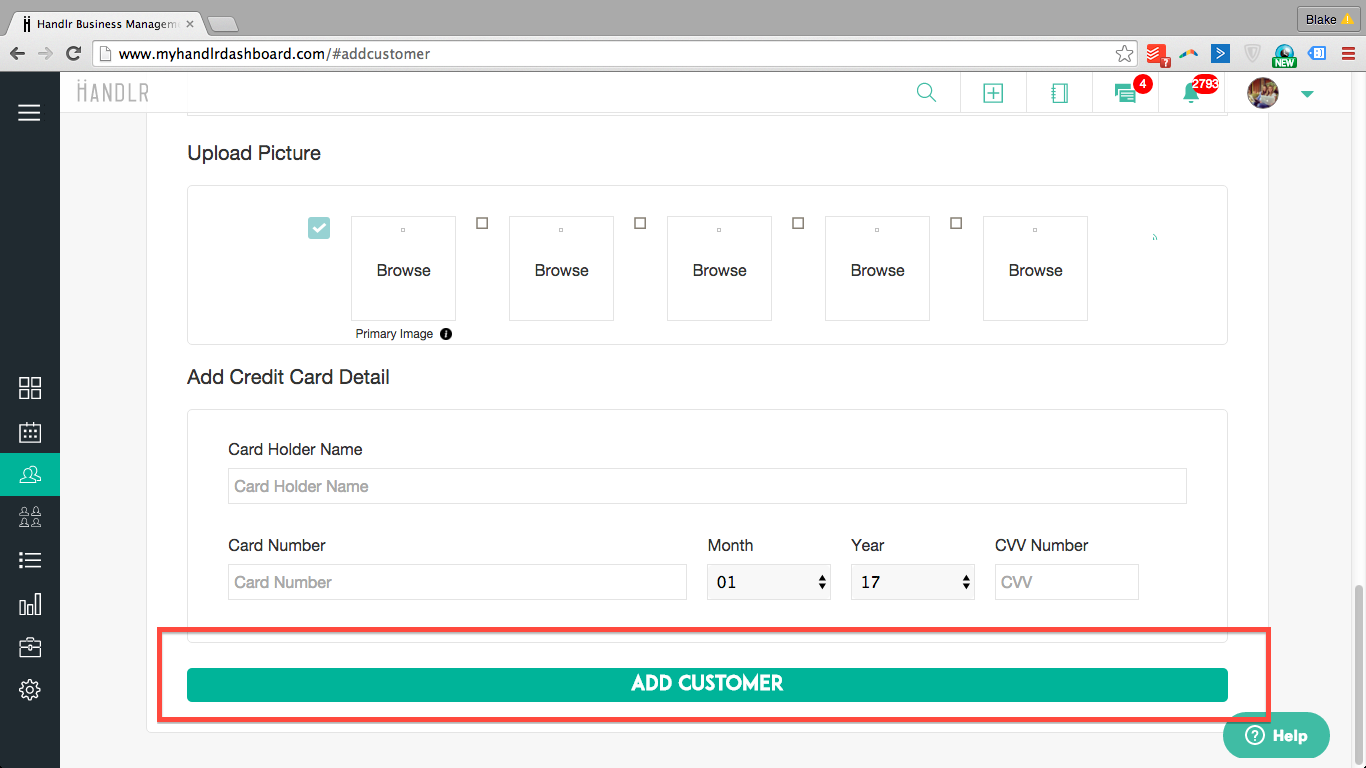
4. Click, "Add Customer" to save and add your new customer to your list.
0 Comments